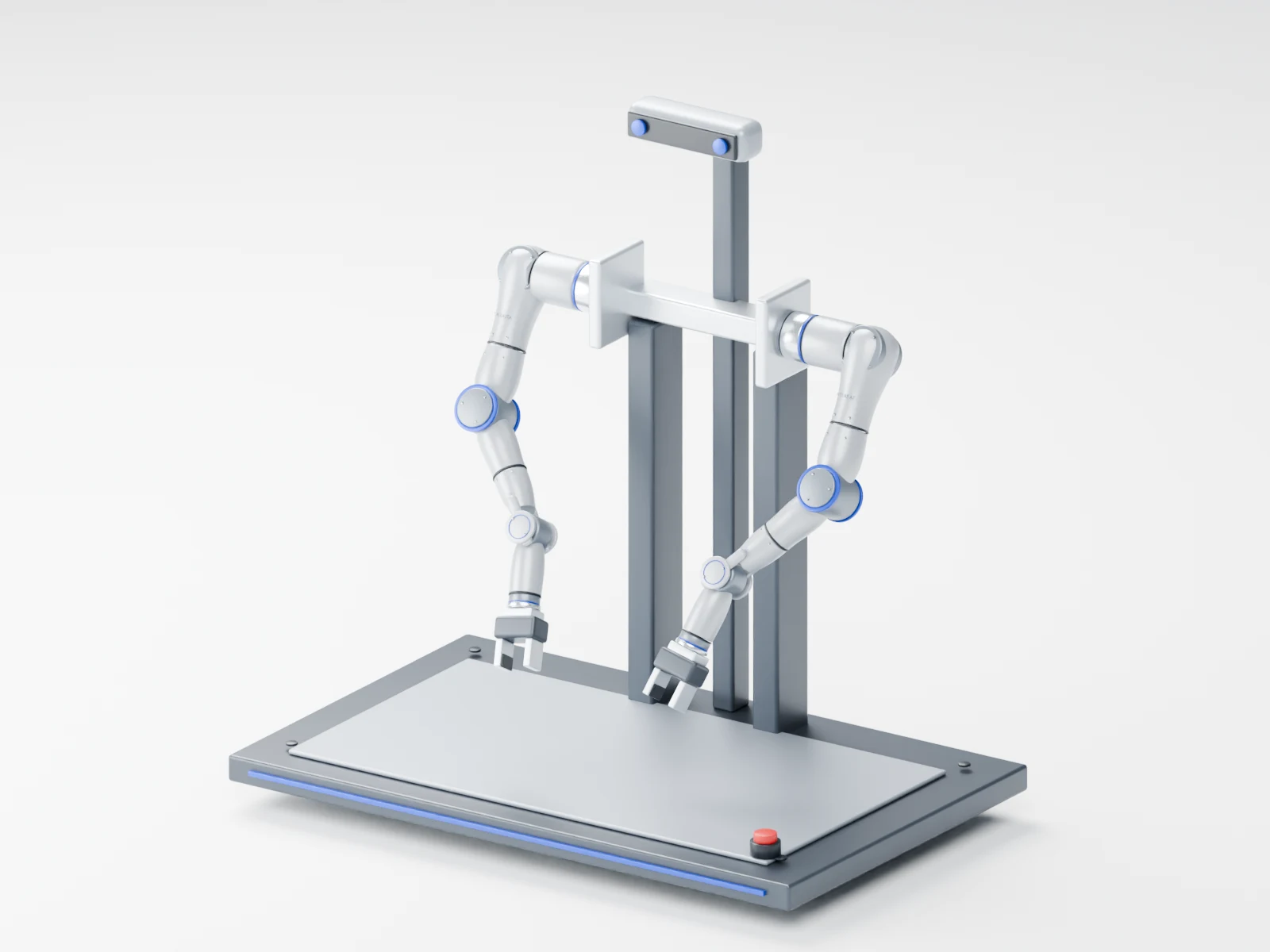
Two A7 7-axis arms share one tabletop workspace, linking demonstration capture, policy training and real-robot validation. Start with fixed dual-arm execution and add teleoperation leader arms, vision, tactile end effectors and external compute as needed, on the same A7 foundation and research toolchain as the R1 platform.
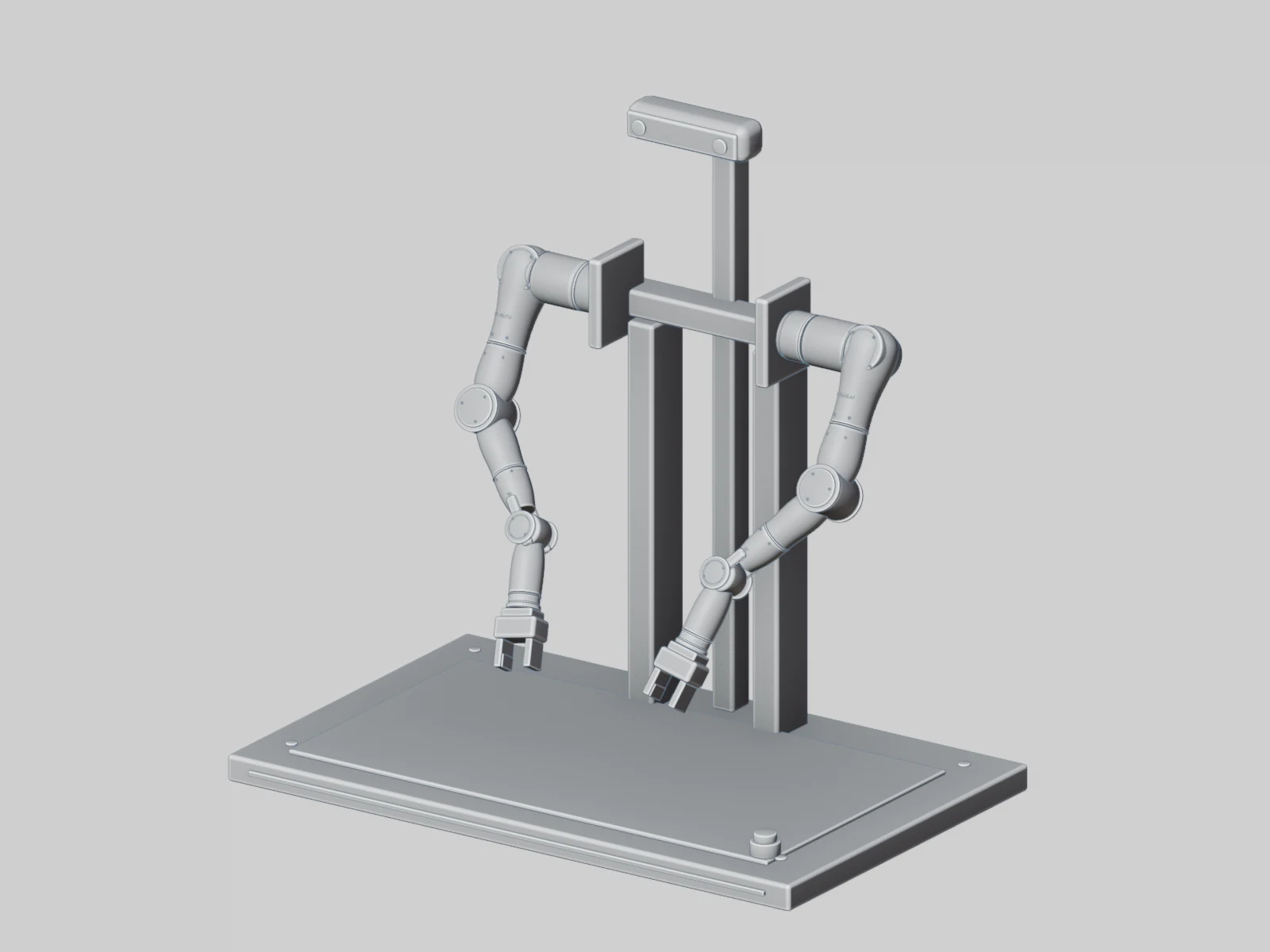
Structural design view · not a manufacturing drawing
DESIGNED AROUND A7
Two 7-axis arms, built into the tabletop workspace.
Left and right A7 arms are arranged around one task area, with mounting, vision and compute planned along the workstation. For symmetric teleoperation, add a separately mounted dual-A7 leader.
Rotate to see the A7 arms, tabletop mounting and vision layout. The fixed workstation keeps a clear task space, linking demonstration recording and real-robot validation.
One product, three ways to see it.
3D MODEL ATLAS D
Drag to rotate · Scroll / pinch to zoom · Arrow keys
BUILT AROUND YOUR TASK
Start from your task.
Start with dual-arm execution, then add leader arms, vision and learning tools as needed.
Dual-arm execution workstation
Start your research with tabletop tasks.
Built on dual A7 working arms with a rigid tabletop mount and task end effectors, for grasping, cooperative manipulation and policy execution experiments.
Best for
Dual-arm coordination · Manipulation research · Policy validation
Recommended configurations
2 × A7: left / right working arms
Tabletop frame, mounting and task fixtures
Gripper / tactile end effector / dexterous hand as needed
Local control and workstation compute
The dual-arm execution end is the base configuration and does not include two additional leader arms by default.
Execution, perception, operator input and compute are selected separately, so every expansion has a clear interface.
A7 execution module
Dual A7 for a consistent execution foundation.
Two 7-axis A7 arms, left and right, form the dual-arm execution end for research on cooperative manipulation, demonstration capture and policy validation. Single-arm workstations and symmetric leader arms can use the same arm platform.
7-axis configurationLeft and right armsDual-arm coordination
Mounting, coordinate frames and zero points of each arm are checked separately; single-arm rated figures do not equal measured system capability.
Commands, state, vision, end-effector data Paired with task events and calibration versions
Recorded · Quality-checked · Traceable
The dual A7 execution end is the base; only the symmetric dual-A7 leader option brings the total to 4 A7 arms. Bilateral force feedback, cross-network latency and adaptation to different input methods need dedicated validation.
Control stays local; compute scales with the task.
From tabletop capture to learning research, robot control, workstation compute and training resources are planned separately.
On the robot
Local control
Joint and mechanism control, enabling, limits, emergency stop and status monitoring.
Tabletop / workstation
Workstation compute
Sensor ingestion, sync, capture and local caching, with policy inference added as needed.
On site / server room
Shared workstation
Teleoperation interface, data processing, model R&D, training and evaluation.
Connected as needed
Data and model platform
Data management, model versions and releases, deployed privately or as a cloud service.
Get the capture right first.
Local control + capture compute + local storage, with caching and upload configured by camera bitrate and task duration. Connects to a workstation PC; no high-power GPU needed by default.
Six main GPU options from RTX 4070 to RTX 5090; cloud training compute is not included by default.
Current selection:Atlas D · NVIDIA GeForce RTX 4070 · External desktop workstation; power and cooling confirmed per configuration · Planning selection
Ti / SUPER variants, memory size, system PSU and cloud training resources are confirmed separately. This only records the selection on this page: it places no order, reserves no stock and promises no training speed or compatibility.
READY FOR YOUR NEXT EXPERIMENT
Turn your tabletop into a reproducible experiment station.
From mounting to data: what each integration needs to keep and check.
Mounting and load
Confirm tabletop load, arm spacing, frame and fixtures, leaving room for the operator and cable paths.
Power and safety
Plan control, compute and drive zones separately, and confirm power, protection, enabling, emergency stop and connection-loss fallback.
Interfaces and calibration
Check left/right arm zero points, camera intrinsics and extrinsics, end-tool coordinates, and driver and interface versions.
Recording and validation
Save configuration, timing, task events and data versions, and complete low-speed trial runs, capture and replay validation.
Workstation setup
Fix the workstation → connect devices → calibrate and validate at low speed → capture and replay
Fixtures, tooling, mounting distance and fasteners confirmed on site
End effectors
Connection defined by task
Parallel gripper, eHand-6, tactile or custom tools
Workstation vision
Viewing and calibration plan defined by task
Camera model, count, mounts and lighting configured item by item
Compute and storage
Local control, capture and recording setup
External GPU workstation, cloud training resources and storage expansion
The number of devices shown is not the standard package contents. Follower arms, leader arms and accessories are confirmed separately in the delivery list.
A7 foundation
Atlas D · A7 foundation
DOF per arm
7 axes (7-DOF)
Weight per arm
4.3 kg
Max end payload per arm
3 kg
Max single-arm reach
739.45 mm
Repeatability per arm
±0.1 mm
Control modes
Position / velocity / torque / MIT hybrid control
Teaching
Gravity compensation, zero-force hand-guided recording and trajectory playback
Teaching sampling rate
100 Hz; not the system control or policy inference frequency
Figures above are A7 manual ratings. Single-arm payloads are not added up as dual-arm cooperative capacity; end-effector mass, center of gravity, dynamic pose and mounting stiffness must be checked together.
Mounting, power and control
Atlas D · Mounting, power and control
Workbench
Stable fixed workstation; tabletop load, flatness and anti-tipping checked for the dual-arm layout
Mounting and workspace
Check left/right arm zero points, mounting surfaces, motion envelope, and end-effector and fixture interference
A7 power per arm
DC 48 V; the manual requires a supply of at least 6 A
Platform power distribution
Arms, cameras, end effectors and workstation calculated separately rather than reusing single-arm supply ratings
Arm communication
CAN 2.0, 1 Mbps; connected via the supplied USB-to-CAN adapter
Cable routing
Separate power and communication runs; check bend allowance, strain relief and the zone where both arms cross
Safety and recovery
Emergency stop, limits, enable state, connection-loss handling and human takeover validated on the actual control system
Software and data chain
Atlas D · Software and data chain
Development environment
Ubuntu 22.04 LTS; ROS 2 Humble
Development interfaces
Python / C++ SDK; driver, firmware and interface versions confirmed at delivery
Planning and simulation
MoveIt2, Gazebo, URDF; engineering models must match the physical robot version
Robot records
Left/right arm joint positions, velocities, torque-related values, action commands and control state
Multimodal records
Vision, end effector and task events connected per actual device, with original timestamps kept
Data organization
Devices, calibration, operators and software versions linked per task / session / episode
Quality and replay
Check record completeness, timing, failure events and slow-speed replay; export format defined per project
Training and validation
Training on an external workstation or in the cloud; simulation and staged real-robot evaluation before policy deployment
Cross-device alignment, motion mapping and task results are validated per project; the on-page 3D model is for appearance discussion.
Built on Atlas A7 arms; desktop mount, vision, leader, compute and end effectors can be combined per task.
Atlas D is a dual-A7 desktop integration; mounting, payload and workspace are confirmed per project.
Tell us your research direction, workstation conditions and existing equipment, and we'll define the execution, vision, teleoperation and compute setup together.